 KONSİL
An ORCID iD is a 16-digit identifier that stays with a researcher for life (e.g. 0000-0002-1825-0097). The problem it solves is real and mundane: thousands of researchers share the same name, names change with marriage and transliteration, and "A. Yilmaz" could be anyone. ORCID ties your publications to a number, not a name — no namesake mix-ups, and your record moves with you when you change institutions.
Short answers: It's free. It takes ~5 minutes. You may only register for yourself (the terms forbid registering on someone else's behalf). Many journals now require an iD at submission.
Go to orcid.org/register
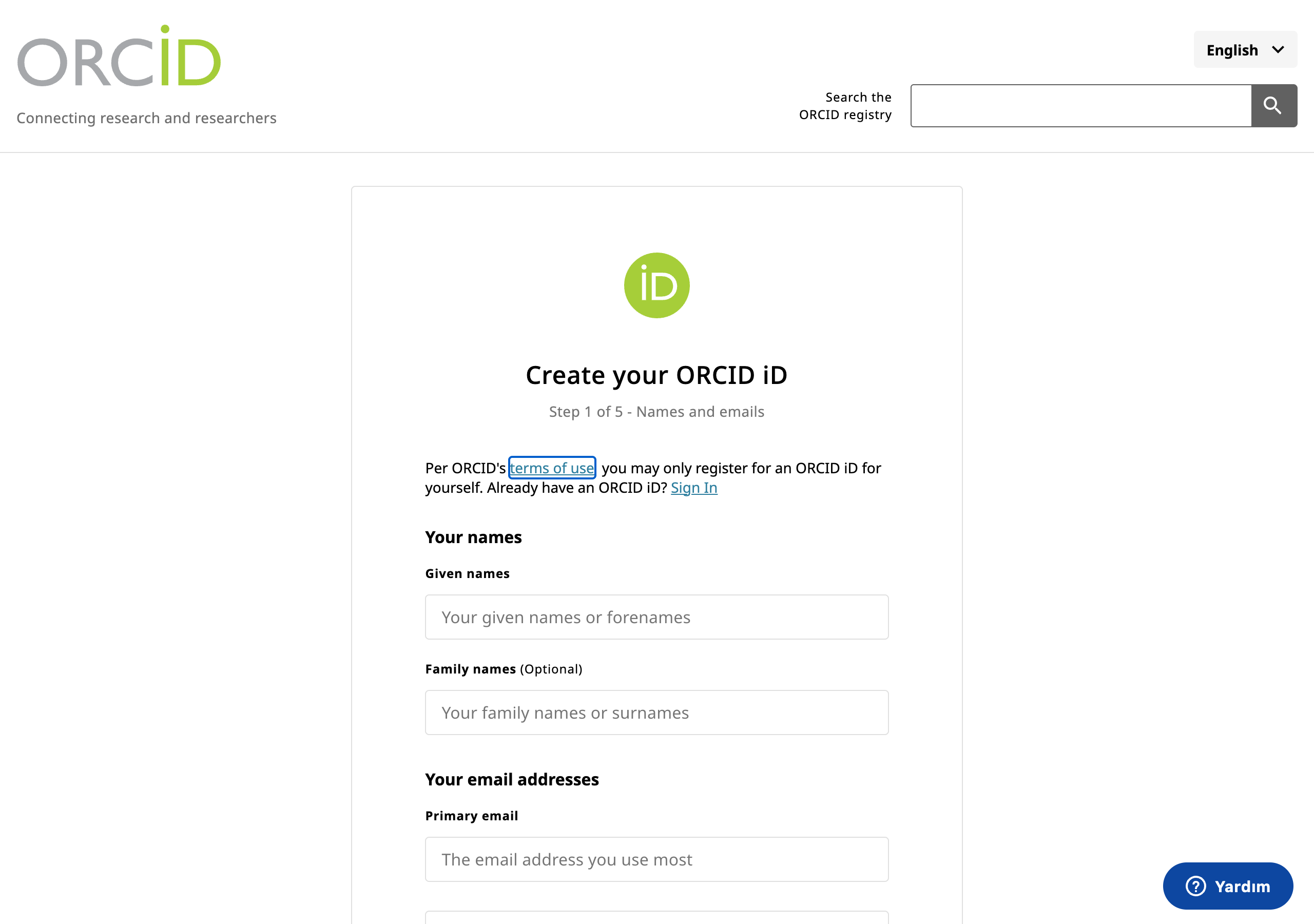
Registration is a short wizard — you'll see "Create your ORCID iD" and a "Step 1 of 5" progress label. Step one is names and email:
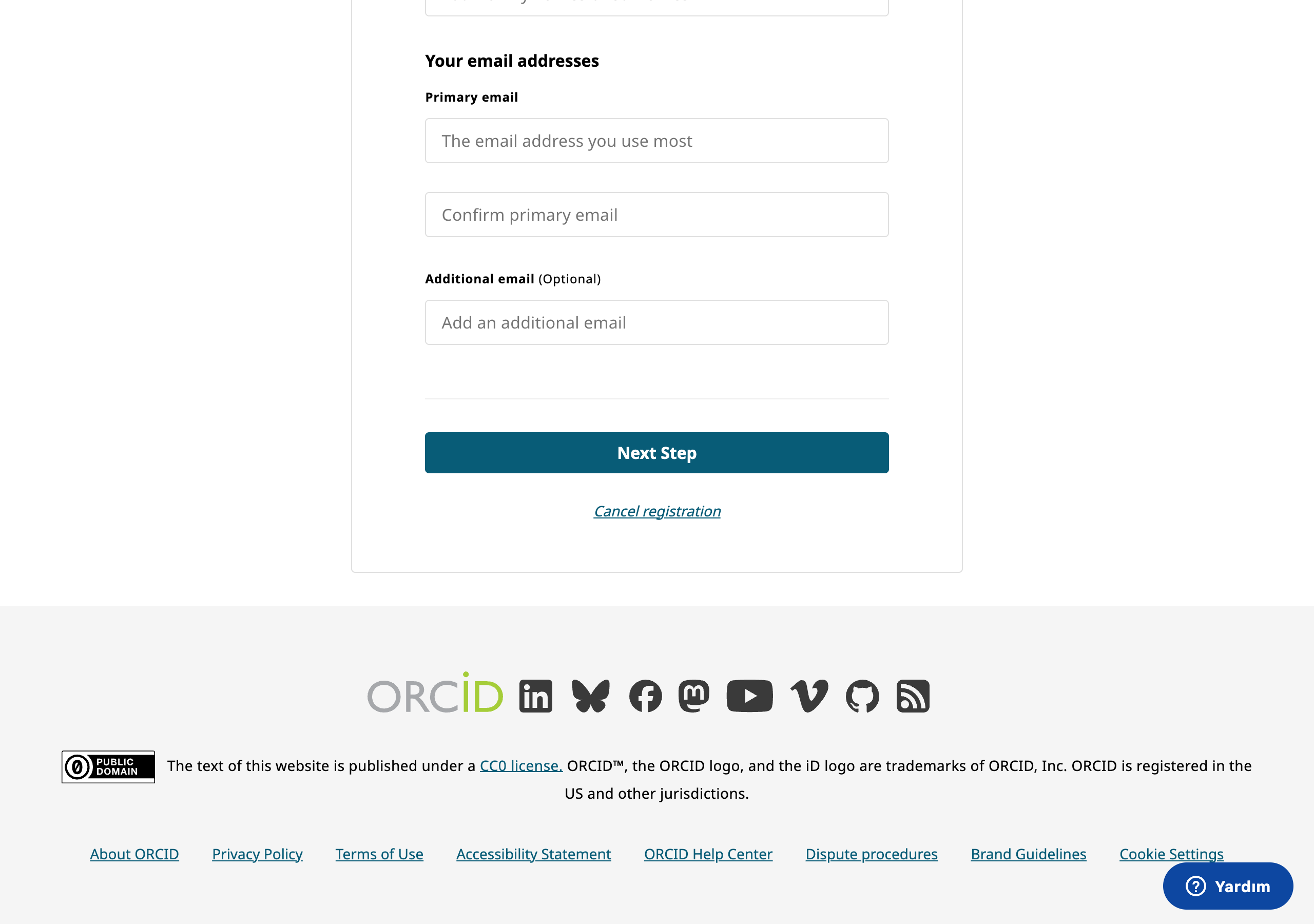
Add your email addresses
Use an address you'll control long-term as the primary (personal Gmail-type), and add your institutional address as "Additional email". Reason: when you move institutions your university address dies — but it's your primary email that unlocks the account. With both on file, either one can fail safely.
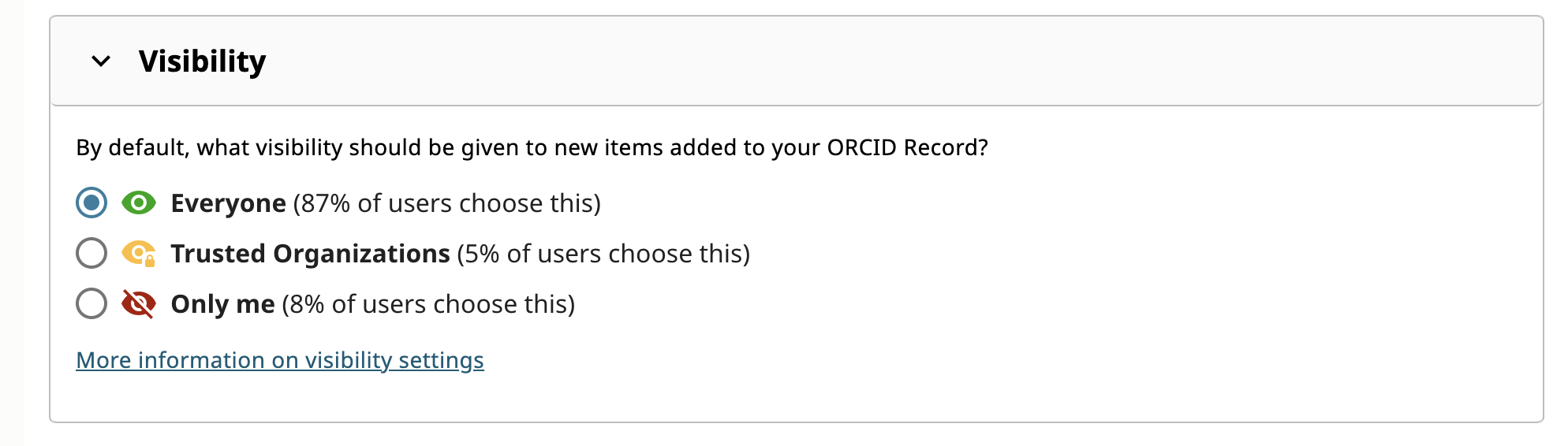
Set a password and choose visibility
| Option | Who can see | Right for |
|---|---|---|
| Everyone (recommended) | Anyone — your record appears on your public page | Most researchers: visibility is the whole point of ORCID |
| Trusted parties | Only systems you authorize (journals, funders) | People who need journal integration but not a public profile |
| Only me | Just you | Rarely sensible — an invisible iD can't be linked to you by anyone |
Verify your email
Click the verification link ORCID sends. Some journal systems refuse unverified accounts — don't skip this 30-second step.
Fill your record: employment and works
- Employment: add your current institution — journals and matching systems read affiliation from here.
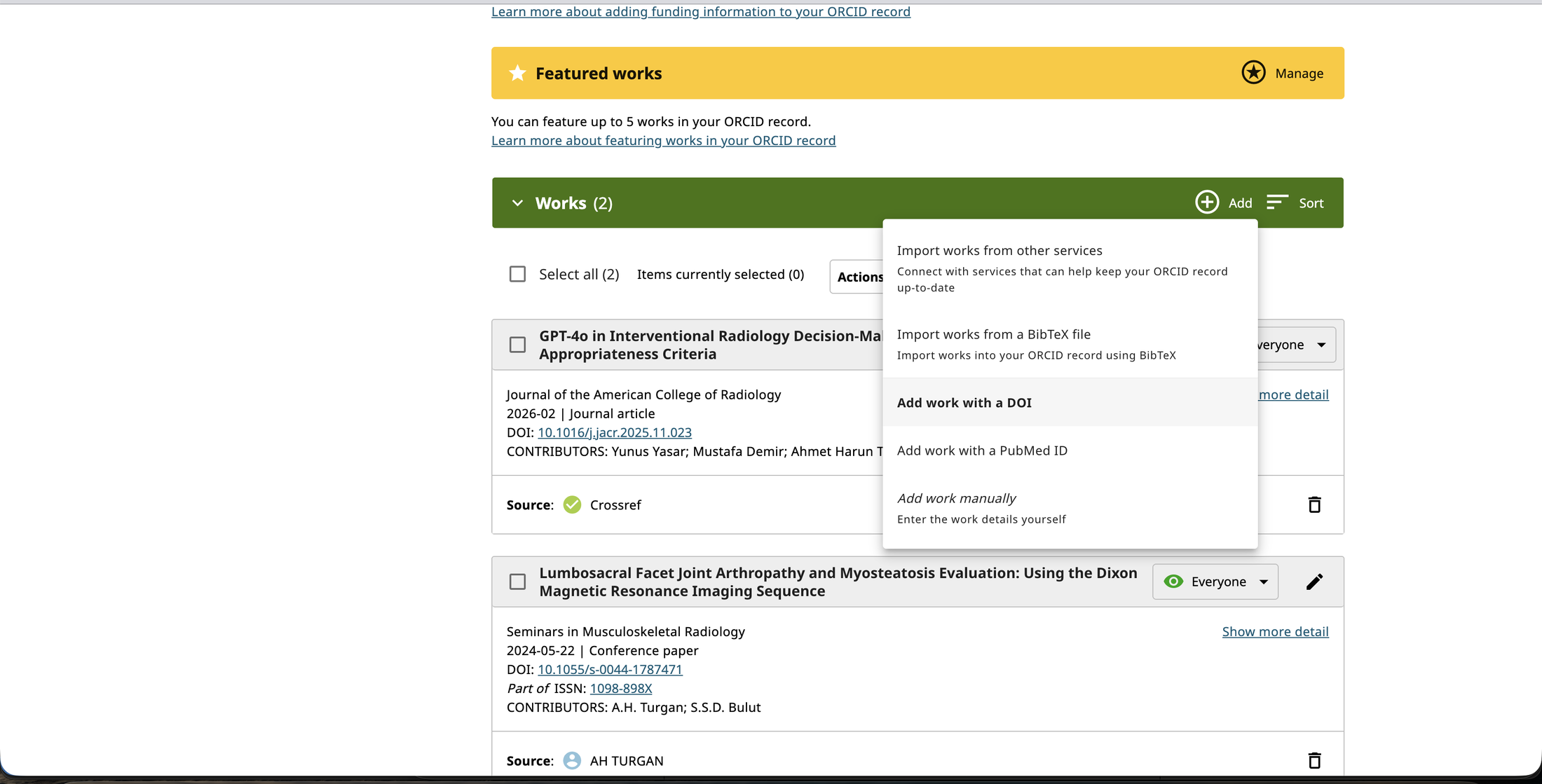
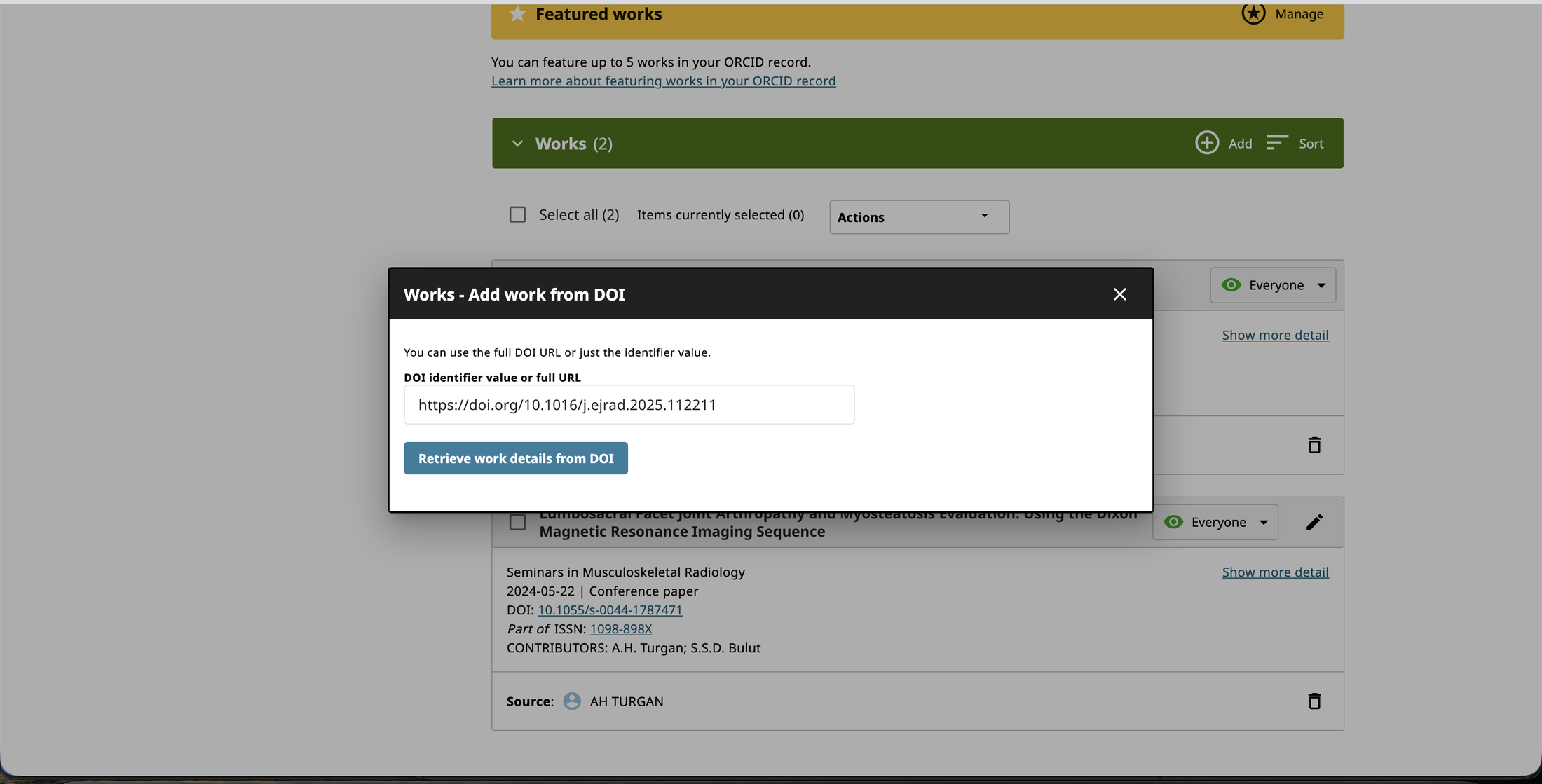
- Works: add publications via "Add works → Search & link" (Crossref/DataCite) or directly by DOI, not by typing them in — that way they enter your record as publisher-linked evidence rather than self-reported text.
FAQ
Does it cost anything? Does it expire?
Individual registration is free and permanent. (The paid tier is the member API used by institutions and publishers — not something an individual needs.)
I accidentally created two iDs — what now?
It happens often (an old forgotten registration). Use ORCID support's duplicate-removal flow: your works are consolidated under the primary iD and the other redirects to it.
Does ORCID find my papers automatically?
Not by itself — but you can enable auto-update from sources like Crossref. If you give journals your iD at submission, new papers land on your record automatically when published.
Sources and standards
- ORCID — registration page and help centre (orcid.org, support.orcid.org)
- ORCID visibility-settings documentation
- Crossref / DataCite "Search & link" integrations
- ORCID terms of use — self-registration only; site text is CC0, ORCID and the iD logo are trademarks of ORCID Inc. (screenshots used for instructional purposes)
Got your iD — now what is it good for?
KONSİL membership is built on your ORCID iD: your publications are found in publisher records (Crossref · PubMed) by iD, your profile is built from that evidence, and team suggestions for your research idea run on top of it.
See the sample report → Apply for the closed beta →